Infragistics Community Forum / Web / Ignite UI for Angular / Igx combo box values showing empty
Igx combo box values showing empty
New Discussionafter update values from backend – when ever open igx combo box values display empty.
Replies
-
0<igx-combo #comboqueryutopic class="combo2" [itemsMaxHeight]="250" [data]="querytopic" displayKey="field"valueKey="queryId" [(ngModel)]="fselectedquerytopic" ngDefaultControl(onSelectionChange)="singleSelectionQuerytopic($event)" placeholder="Select Query Under Topic"searchPlaceholder="Search…" [filterable]="true" [disabled]="disabledtablelevel"></igx-combo>
-
0
Hello,
Thank you for posting into our community!
I have been looking into your question and I need to ask for some additional information. Could you please clarify what do you refer to with “update values from backend”? Do you mean that you are binding the IgxCombo’s data property to a new set of data?
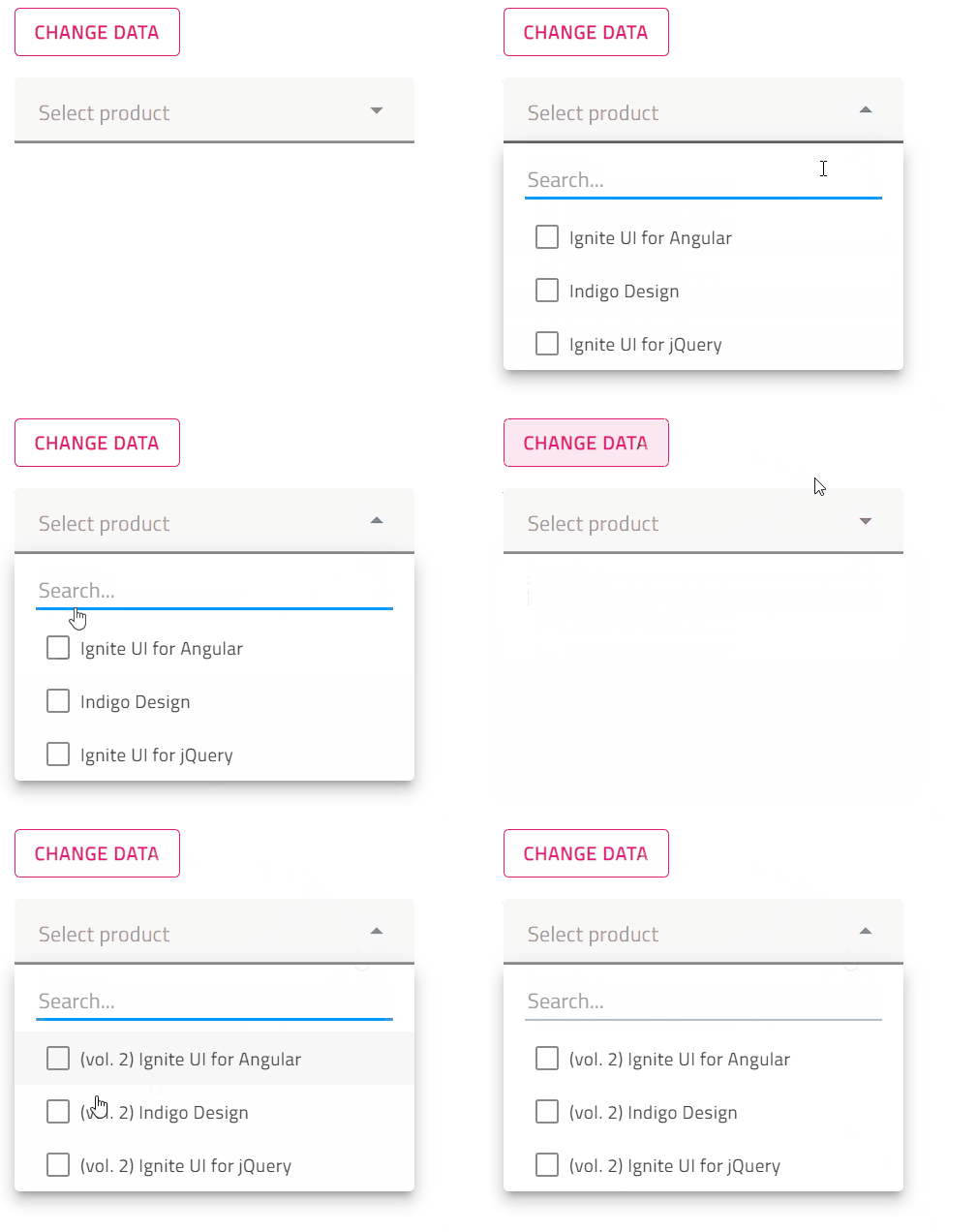
I am asking this question as in an effort to reproduce the described behavior, I have prepared a small sample where I am changing the combo data on button click, however, on my side, everything works as expected and the data is displayed successfully when opening the combo dropdown. This could be observed in the below attachment:

Additionally, since I am now sure how and when you are updating the data on your side, what I could assume is that the IgxCombo’s displayKey property is not set to the appropriate field in the data source. For example:
this.data = [ { id: 1, productName: "Ignite UI for Angular"}, { id: 2, productName: "Indigo Design"}, { id: 3, productName: "Ignite UI for jQuery"}, ];The value used for displayKey is “name”, however, the field in the data source is “productName” and in such cases the values in the combo dropdown will be displayed as empty. Having this in mind, please verify if the correct field name is provided to the displayKey property.
Additionally, if the correct field is provided and the behavior is still reproducible, it would be extremely helpful if you could provide me with a sample that demonstrates the behavior on your side. Also, if it is possible, it would be great if you could try to modify the provided by me sample, so it reproduces the issue. Having a working sample, which I could debug on my side, will be highly appreciated and extremely helpful in providing you with a solution as soon as possible.
Here could be found my sample for your reference. Please test it on your side and let me know how it behaves.
Looking forward to your reply.
Sincerely,
Riva Ivanova
Entry Level Software Developer-
0
Hi Riva,
Could you please clarify what do you refer to with “update values from backend”? yes, I assigned new set values . For my side I am assigned same name displayKey="field" only .
-
0
Hello Sarathkumar,
Thank you for following up and answering my questions!
After further investigating this matter, what I could say is that as the isolated sample from my previous message seems to be working correctly and cannot reproduce the issue, it is hard to tell what the cause for this behavior could be without having a working sample on my side which I can debug.
Furthermore, you have mentioned that you are assigning a new set of values and since I am not sure how and when this is performed on your side, I have prepared another sample where I am fetching remote data, binding it to the IgxCombo’s data and then after a few seconds the data is changed with new values. The result is the same and everything works as expected. This could be observed in the below attachment:

Additionally, you have mentioned that this behavior is occurring when the data is updated. Does this mean that when the data is bound initially everything works properly and the values are displayed as expected?
If the displayKey and valueKey properties are set accordingly, there is no reason for it not to work properly even after updating the values. However, as previously mentioned, without having a sample that I can debug on my side it is almost impossible to investigate this further, as all assumptions would not be well-grounded.
Additionally, I have noticed that you have provided the configuration of the combo, however, it would be extremely helpful if you could provide the structure of your data, populated with some test records, as well as explain how the values are updated on your side.
Also, I would strongly encourage you to try and modify the provided by me sample or provide a sample app of your own that reproduces the described behavior as it is going to be very helpful in finding the root cause of this behavior.
Thank you for your cooperation. Looking forward to your reply.
Sincerely,
Riva Ivanova
Entry Level Software Developer -
0
Hi Riva,
Thanks for the update. Please find the below sample data
sample combo box:
<igx-combo #comboqueryutopic class="combo2" [itemsMaxHeight]="250" [data]="querytopic" displayKey="field"valueKey="queryId" [(ngModel)]="fselectedquerytopic" ngDefaultControl(onSelectionChange)="singleSelectionQuerytopic($event)" placeholder="Select Query Under Topic"searchPlaceholder="Search…" [filterable]="true" [disabled]="disabledtablelevel"></igx-combo>sample data:[
{
“field”: “Test1”,
“queryId”: 281
},
{
“field”: “Test12”,
“queryId”: 275
},
{
“field”: “Test13”,
“queryId”: 276
},
]if possible can you please schedule meeting
Regards,
Sarathkumar
-
0
Hello Sarathkumar,
I have tested the provided sample data on my side, and I was not able to reproduce the described behavior.
Having this in mind, there are a few questions that I would like to ask you in order to provide you with a solution as soon as possible.
- Which Ignite UI for Angular version are you using?
- How is the data updated on your side? Could you please provide a code snippet from the .ts file?
- Is this behavior reproducible when binding the combo data initially or only when updating the data?
Additionally, if the behavior cannot be replicated, please feel free to provide your own sample. Remove any external dependencies and code that is not directly related to the issue, zip your application and attach it in this forum thread.
Thank you very much for your cooperation on this matter. Looking forward to your reply.
Sincerely,
Riva Ivanova
Entry Level Software Developer -
0
- Which Ignite UI for Angular version are you using? igniteui-angular": "8.2.17
- How is the data updated on your side? Could you please provide a code snippet from the .ts file?
let temptopic = this.testvall[‘test’].filter(fdata => fdata.scanTopic == this.selectedquery)if (!checkboxinactive) {temptopic.map((data) => {if (data.activeRole == 'Y') {let temptopic = {"field": data.queryName,"queryId": data.queryId}this.querytopic.push(temptopic)}})} else {temptopic.map((data) => {if (data.activeRole == 'N') {let temptopic = {"field": data.queryName,"queryId": data.queryId}this.querytopic.push(temptopic)}})}in console also this.querytopic – I have value
- Is this behavior reproducible when binding the combo data initially or only when updating the data? only when updating the data .
-
0
Hello Sarathkumar,
Thank you for answering my questions and providing a code snippet!
Regarding the version, please keep in mind that version 8.2.17 is considered retired and with this in mind I would suggest updating your application to a newer and supported version (currently 12.3.x, 13.2.x, and 14.0.x) in order to take advantage of all new features, functionalities, and developer support. For more information, you can refer to our official Update guide.
Furthermore, regarding your query, I have looked into the provided code snippet and prepared a sample with a similar configuration. However, as there are few custom variables for which I have no knowledge of, i.e., this.testvall, this.selectedquery, checkboxinactive, I cannot tell for sure what could be the reason for this behavior.
Here could be found my sample where I have used a similar configuration for adding new items to the combo’s data source array. However, it is based only on the provided code snippets and on my side, I cannot reproduce this behavior and the data is added successfully.
Please test it on your side and check if it has a similar configuration as yours. If yes, I would strongly encourage you to try and modify it with any important aspects from your setup (mainly in the .ts file) in order to reproduce the issue.
In order to modify it, you should click the “Fork” button, apply your code wherever needed, save the changes, copy the link to it and attach the link to this forum thread.
Thank you for your cooperation. Looking forward to your reply.
Sincerely,
Riva Ivanova
Entry Level Software Developer
-
-
- You must be logged in to reply to this topic.
Suggested Discussions
VB.NET ComboBox with Checkboxes
Hi Team, Thanks in advance for helping I need a clear example for “Combo box with check box&#…Combo Selection changed Event Handler of Combo inside grid
I have a grid which has a column whose editor is set to Combo. It gets data from the DatasourceUrl,…set combo box value onload
Here is my controller: IEnumerable<SelectListItem> tableList = filteredResultFinal.Select(i …Combo box with picture button to remove item
Good day my name is Marique i am developer and I need to know if a windows forms infragistics…Tags
Created by
Created on
Sep 1, 2022 3:41 PM
Last activity on
Sep 1, 2022 3:41 PM